

Cut admin time, forecast revenue, and protect your margins. Discover the practical tools local businesses are using to stay competitive in a high-cost economy.
Let’s be honest: AI came with lots of promises that didn’t quite match reality. If you add to this the relentless hype and the pressure to “keep up” with the latest tool launching every week, you have the perfect recipe for AI fatigue.
AI isn’t a magic wand that fixes every problem. Yet, savvy Kiwi SMEs have “cracked the code”. They have moved beyond the tinkering phase and turned AI into an extra pair of hands – helping them punch above their weight without increasing headcount.
Below, we explore seven practical tips and strategies you can use to bridge that gap and do more with less in the current economy.
Forecast revenue and protect your margins
Global research from Xero confirms that businesses using AI daily are 2x more likely to see revenue growth compared to those who never use it.
Many business owners rely on 30-day-old data, but looking backwards won’t help you spot future risks. Instead, predictive AI tools act as a “Virtual CFO,” analysing your historical payment data to identify patterns you might otherwise miss.
They can flag cash flow gaps weeks in advance, identify slow-paying clients, and even predict seasonal inventory needs so you don’t get stuck with dead stock. Plus, you get the foresight to secure capital or adjust orders before a crisis hits, securing your margins.
Produce agency-quality marketing on a DIY budget
High-end marketing used to require deep pockets and expensive agency retainers. Today, generative AI tools are levelling the playing field, allowing Kiwi SMEs to create professional-grade image and video assets without the hefty price tag.
These tools are equally powerful for your written content. AI can act as a sub-editor, analysing your email copy to ensure it actually converts.
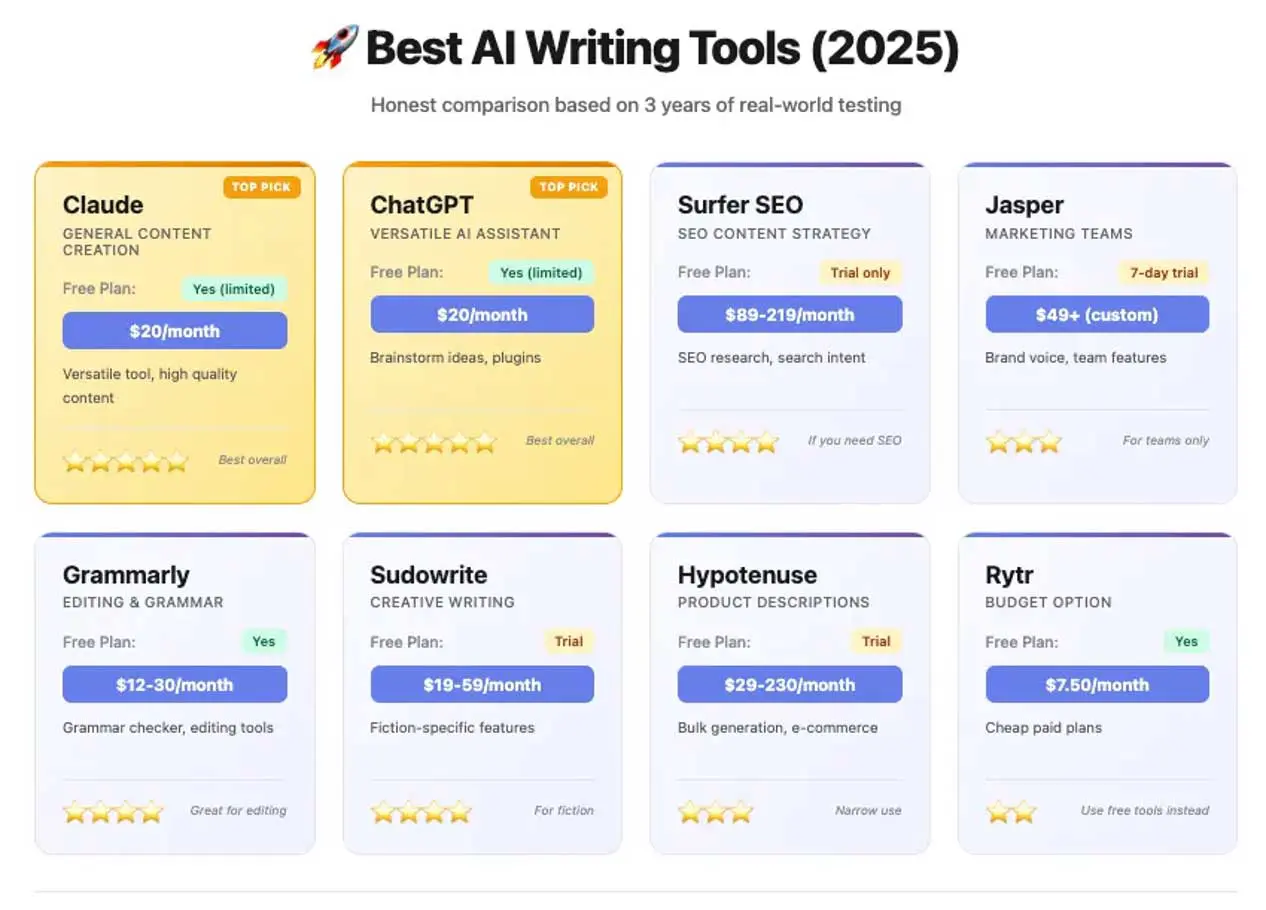
Source: Best AI Writing Tools (2025) – Ilam Padmanabhan
The handy prompt: Paste the text of your last three email newsletters into your AI tool and ask:
“Based on these emails, analyse my tone of voice and suggest 3 specific A/B tests (e.g. subject lines or call-to-actions) I can run next week to improve my open rate.”
And keep an eye to quality. AI is fast, but not always spot on. Treat generative AI like a junior employee: give it a detailed brief, review its work, and never publish without a human editor.
Automate your expertise with a custom AI
If you sell your time or expertise – like many Kiwi consultants and coaches – there are only so many hours in the day. AI allows you to “clone” yourself to serve more clients without burning out.
Adoption is growing fast. Reports from the AI Forum NZ indicate that service-based businesses are increasingly using AI admin and support tools to automate customer interactions, allowing them to handle enquiries 24/7 without hiring extra support staff.
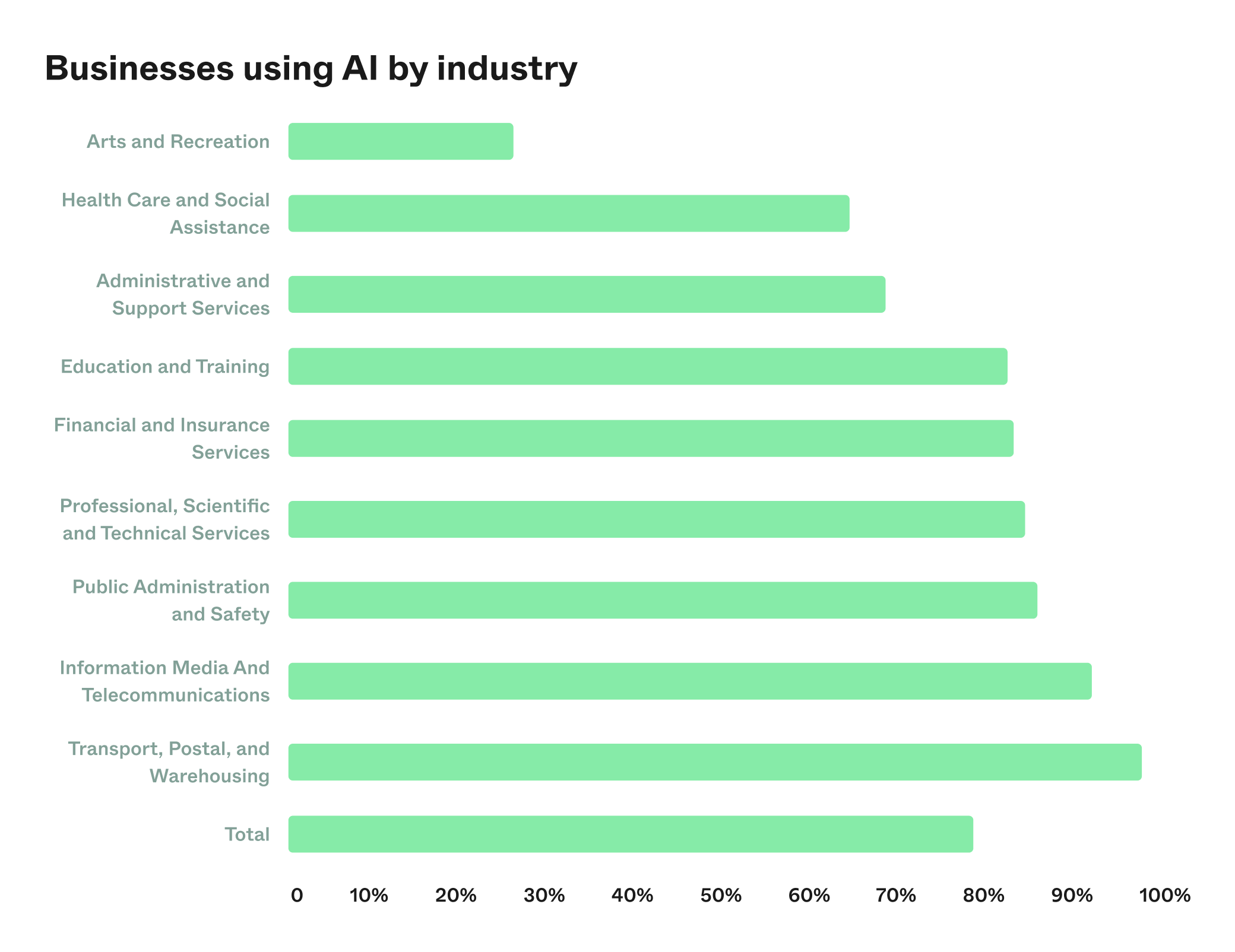
Source: AI Forum Productivity Report 2025
Tools like custom GPTs allow you to upload your own IP – blogs, methodologies, and past advice – to create a chatbot that answers client questions in your specific voice. This is how you can give your clients instant support, and scale your business beyond 1:1 sessions.
Find the right talent, faster
Finding the right talent is tough, especially when you have to sift through hundreds of applications. Data from the SEEK NZ Employment Report shows that job ad volumes have cooled, and the number of applications per ad has skyrocketed to record highs.
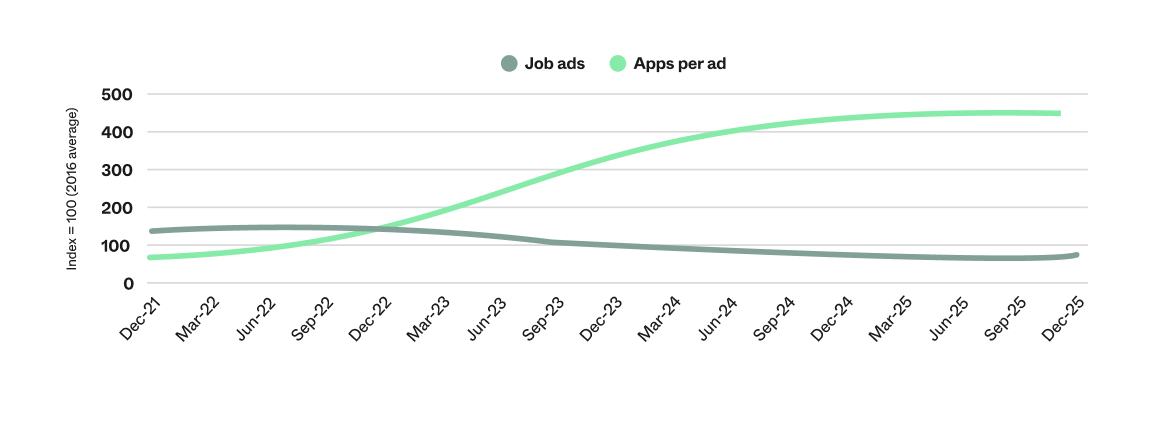
Source: SEEK NZ Employment Report – December 2025
This means employers are often flooded with CVs for every single role. Adopting a “skills-first” AI approach can help you cut through the noise.
Use AI to remove bias from your job descriptions. Tools like ChatGPT can rewrite your ads to be more inclusive and focused on transferrable skills, helping you attract a wider, more diverse pool of talent. AI can also speed up the initial screening process by scanning CVs to shortlist candidates who match your specific criteria, helping you find the right person faster.
Automate your lead generation
Building relationships is everything when you’re trying to grow your business, but manually messaging prospects on LinkedIn can take hours. AI automation tools can handle the initial outreach, warming up leads so you only step in when they are ready to talk.
By setting up smart sequences, your brand can stay top-of-mind with potential clients on autopilot, without spending your entire day in your inbox.
How the workflow works:
- Step 1: AI identifies prospects matching your ideal client profile.
- Step 2: AI sends a connection request and a personalised “warm-up” note.
- Step 3: If they reply, the AI stops, and you step in to close the deal.
You can even use AI to monitor competitors.
The handy prompt: Paste this prompt into ChatGPT:
“Scan [Your Top Competitor Name] LinkedIn posts and summarise: What topics are getting the most engagement for right now?”
Cut data admin time in half
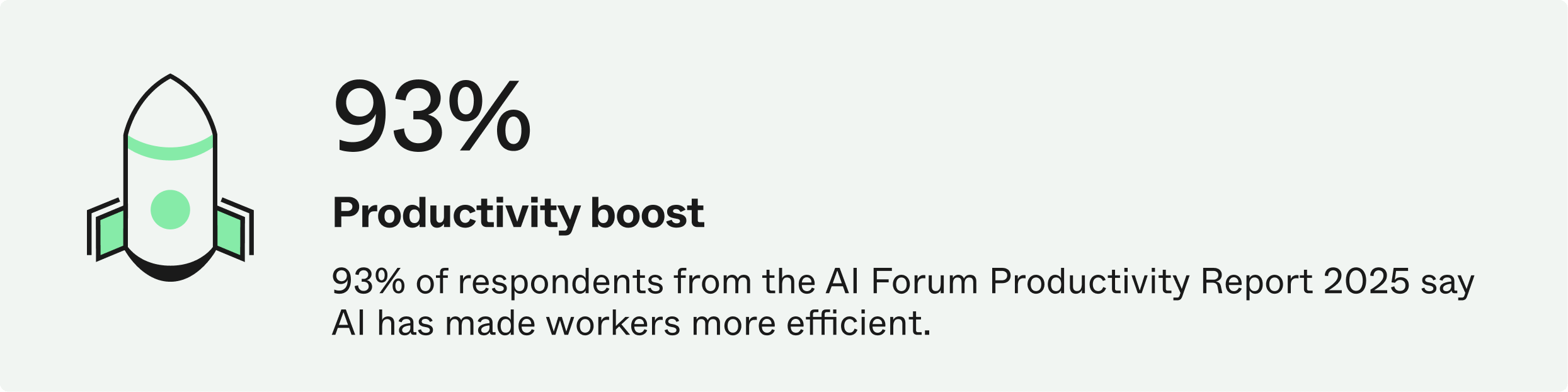
For most Kiwi business owners, the priority is simple: getting more done in less time. According to the AI Forum NZ, the vast majority of local businesses are adopting AI specifically to reduce operating costs and boost worker efficiency.
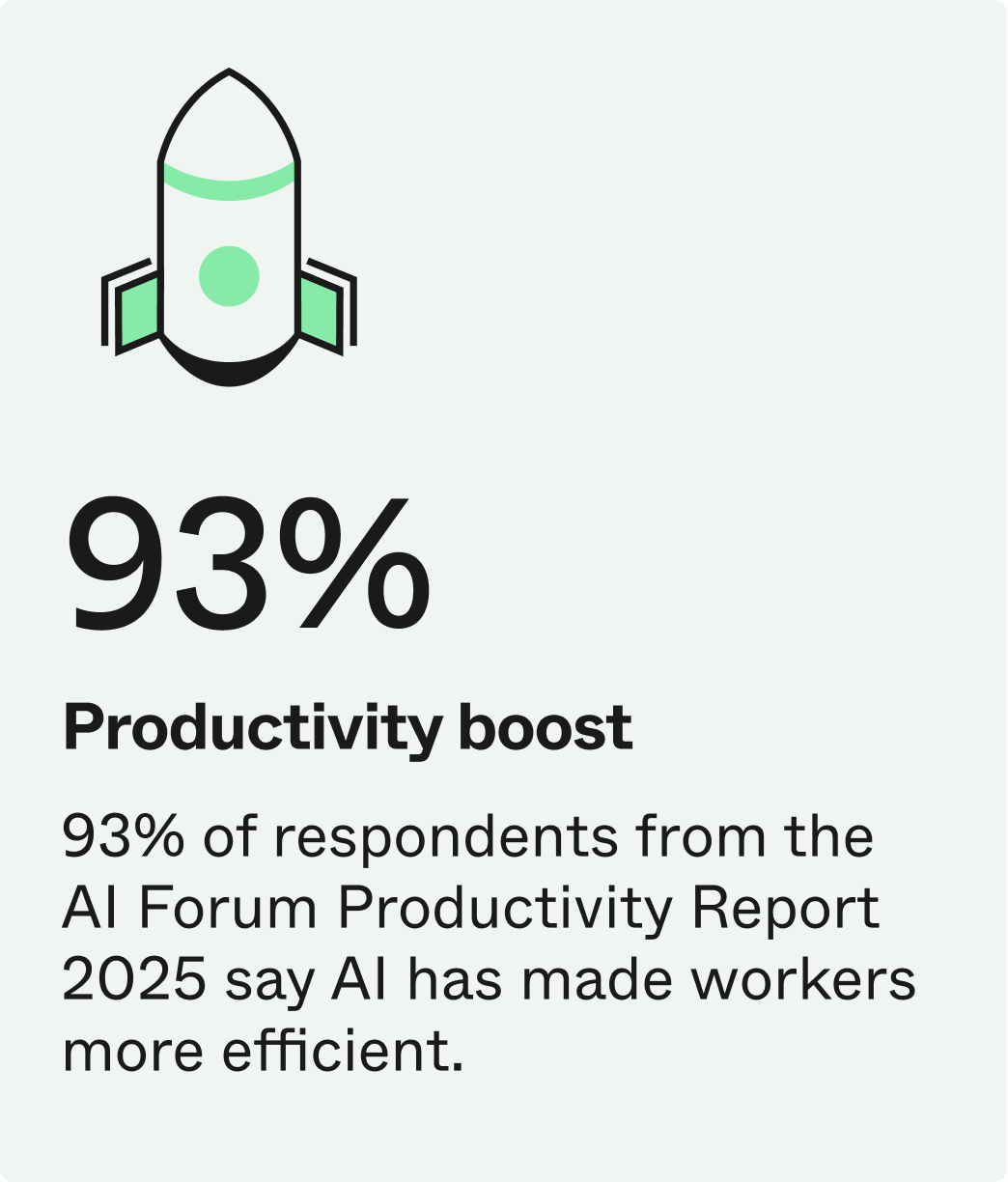
Source: AI Forum Productivity Report 2025
AI helps you do this by automating the boring, repetitive tasks that eat up your day. Tools like ChatGPT Data Analyst can merge messy spreadsheets, reformat lists, and clean up duplicate entries in seconds – tasks that used to take hours of manual copy-pasting.
Don’t mistake automation for autopilot: you still need a pilot in the cockpit. Regularly review the work your AI produces to catch errors early. As your team gets comfortable, encourage them to audit their own workflows – if a task takes them more than 15 minutes a day, challenge them to find an AI tool that can cut it down to five.
Fix website bugs without a developer
AI coding assistants can write snippets of code, troubleshoot errors, and help you maintain your online store. Whether it is rewriting a plugin to improve security or fixing a broken layout on your mobile site, AI tools act as a “junior developer” that can handle the technical hurdles that usually stall small projects.
The handy prompt: Next time your website throws a confusing error message, copy the exact error code and paste it into ChatGPT with this prompt:
“I am running a [Shopify/WordPress] site and seeing this error: ‘[Insert Error Code]’. Explain what it means in simple English and give me step-by-step instructions on how to fix it.”
This often reveals that the error is just a simple setting you can toggle off in seconds.
What is the best AI for small business?
Business owners often ask: what is the best AI for small business? The answer is simple: the one that solves your biggest problem right now. Don’t try to do all seven at once. Pick the one area, such as predicting your revenue to protect cash flow, or automating your admin, and start there.
Ready to invest in new tech to scale your operations? Chat to a Prospa specialist about a Business Loan today.